
Screen Recorder - AX Recorder
Video Recorder & Photo CollageVideo Players & Editors
4.61.30K Reviews
- Version
- 2.5.2.2
- Installs
- 10.00M
- Age Rating
- Everyone
Screenshots



Our Review of Screen Recorder - AX Recorder
 Analysis by Appyee
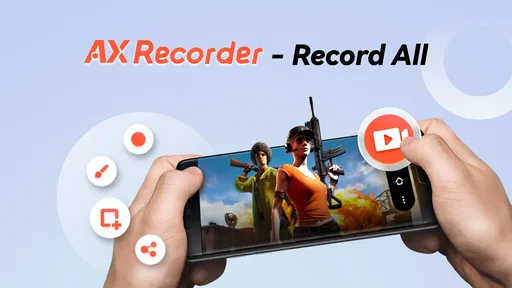
If you've ever found yourself needing to capture what's happening on your phone screen, then you probably know the struggle of finding a decent screen recording app. Well, let me introduce you to Screen Recorder - AX Recorder. I've been tinkering around with it for a while now, and I have to say, it's pretty darn impressive. Whether you're trying to record gameplay, tutorials, or just want to save a moment from a video call, this app has got you covered.
Getting Started with AX Recorder
First things first, downloading and setting up Screen Recorder - AX Recorder is as easy as pie. Available for both Android and iOS, you can find it in your respective app store. Once downloaded, the installation process is straightforward. The app’s interface is clean and intuitive, making it user-friendly even for those who aren’t tech-savvy.
Upon launching the app, you're greeted with a simple dashboard. The main screen displays all the necessary tools you need to get started with your recording journey. From here, you can easily access the recording button, settings, and your recorded videos. No fuss, no muss.
Features That Stand Out
One of the standout features of AX Recorder is its high-quality screen recording. You can capture videos in HD quality, which is a game-changer, especially for gamers and content creators. The app allows you to record up to 1080p at 60fps, ensuring your videos are smooth and crisp.
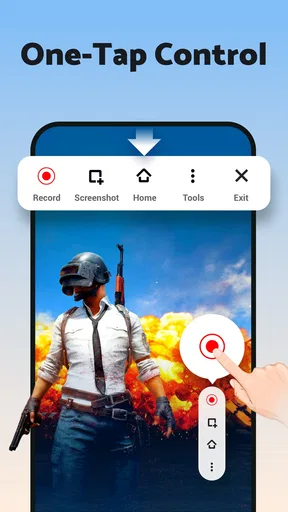
Another cool feature is the floating control panel. This makes it super convenient to start, pause, or stop recording without having to exit your current app. It just floats on your screen, always ready when you need it.
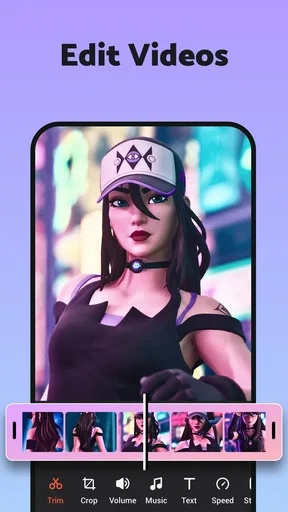
If you’re like me and love adding your own touch to videos, you’ll appreciate the built-in video editor. It’s not just a screen recorder; you can trim, cut, and even add music to your recordings. This is perfect for creating quick edits without needing additional software.
Audio Recording and More
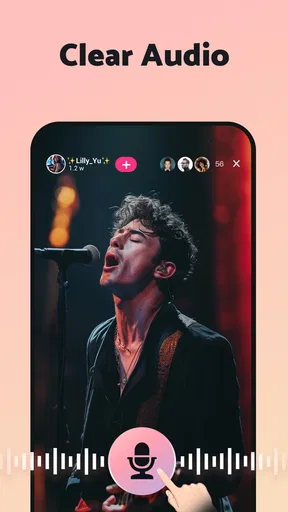
Something worth mentioning is the app’s ability to record both internal and external audio. Whether you want to capture your voiceover or the sound from your device, AX Recorder handles it with ease. This feature is particularly useful for creating tutorials or commentary videos.
The app also includes a facecam recording feature. This is a nifty addition for those who want to add a personal touch to their videos, making it ideal for vloggers or educators. Just tap on the facecam button, and your front camera will start recording along with the screen.
Customization and Settings
AX Recorder offers a range of customization options. You can adjust the video resolution, frame rate, and bitrate to suit your needs. Plus, the app provides options to change the countdown timer before recording starts, giving you a moment to prepare.
For those concerned about privacy, the app includes a setting to hide the floating window while recording. This is a nice touch, ensuring your screen captures remain unobstructed and distraction-free.
Final Thoughts
Overall, Screen Recorder - AX Recorder is a versatile and powerful tool that caters to a wide range of users. Whether you're a gamer, educator, or someone who simply enjoys creating videos, this app provides everything you need to produce high-quality screen recordings.
The ease of use, combined with its robust feature set, makes it a standout choice among screen recording apps. If you're on the hunt for a reliable and efficient screen recorder, AX Recorder is definitely worth checking out. Go ahead and give it a try; you might just find it to be the perfect fit for your screen capturing needs.
Privacy and Permissions
See what permissions an app requests and how it handles your data.
- Device & app history
- read sensitive log data
- Identity
- find accounts on the device
- Contacts
- find accounts on the device
- Photos/Media/Files
- read the contents of your USB storage, modify or delete the contents of your USB storage
- Storage
- read the contents of your USB storage, modify or delete the contents of your USB storage
- Camera
- take pictures and videos
- Microphone
- record audio
- Other
- view network connections, pair with Bluetooth devices, expand/collapse status bar, full network access, close other apps, draw over other apps, control vibration, prevent device from sleeping, install shortcuts, uninstall shortcuts
Verdict
Strengths of Screen Recorder - AX Recorder
- User-friendly interface, easy to navigate.
- High-quality video recording options.
- Supports recording with internal audio.
- Offers various editing tools post-recording.
- No watermark on recorded videos.
Limitations of Screen Recorder - AX Recorder
- Limited features in free version.
- Ads can be intrusive during use.
- Consumes significant battery power.
- Requires Android 5.0 or higher.
- Occasional lag during recording.
Other Releases by Video Recorder & Photo Collage
View All
Photo Frame & Collage Maker
Photography4.8
Similar Picks in This Category
View All
Google TV
Google LLC3.9

iTunes
Apple4.7

YouTube
Google LLC3.8

MX Player
Amazon Mobile LLC4.2

CapCut - Video Editor
Bytedance Pte. Ltd.3.5

PLAYit-All in One Video Player
PLAYIT TECHNOLOGY PTE. LTD.4.5
Frequently Asked Questions
What features does Screen Recorder - AX Recorder offer?
Screen Recorder - AX Recorder provides a comprehensive suite of features including high-quality screen recording, audio capture, and video editing tools. Users can also take advantage of features such as facecam integration, live streaming, and customizable recording settings to enhance their video creation experience.
Is Screen Recorder - AX Recorder free to use?
Yes, Screen Recorder - AX Recorder offers a free version with essential features. However, there is also a premium version available which provides additional functionalities and removes any ads. Users can choose the plan that best fits their needs, depending on the complexity of their projects.
Can I record internal audio with Screen Recorder - AX Recorder?
Yes, Screen Recorder - AX Recorder supports internal audio recording, allowing users to capture the sound directly from their device. This feature is particularly useful for gaming videos or app tutorials where capturing high-quality audio is crucial. Ensure your device settings allow internal audio recording.
What are the system requirements for Screen Recorder - AX Recorder?
Screen Recorder - AX Recorder is compatible with most modern Android and iOS devices. However, for optimal performance, it is recommended to have a device running on Android 5.0 or iOS 11.0 and above. Sufficient storage and RAM will also ensure smooth operation during recording and editing.
How do I resolve common issues with Screen Recorder - AX Recorder?
If you encounter issues with Screen Recorder - AX Recorder, first ensure that your app and device software are up to date. Common issues can often be resolved by restarting the app or device. For persistent problems, check the app’s support page or contact their customer service for detailed assistance.
